Features
JobCam does the paperwork part of job photos so the crew can keep working and the office can see what happened without asking.
Camera and auto-filing
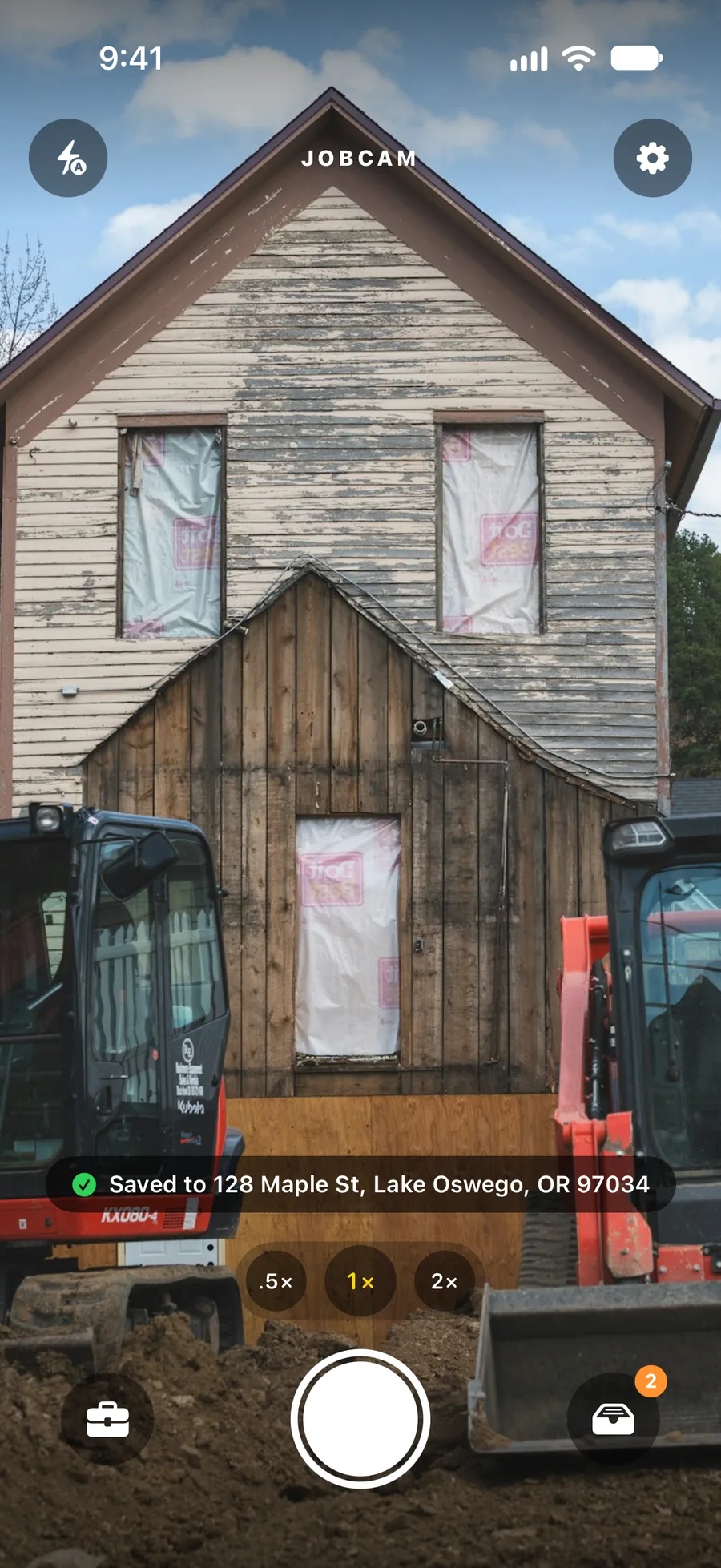
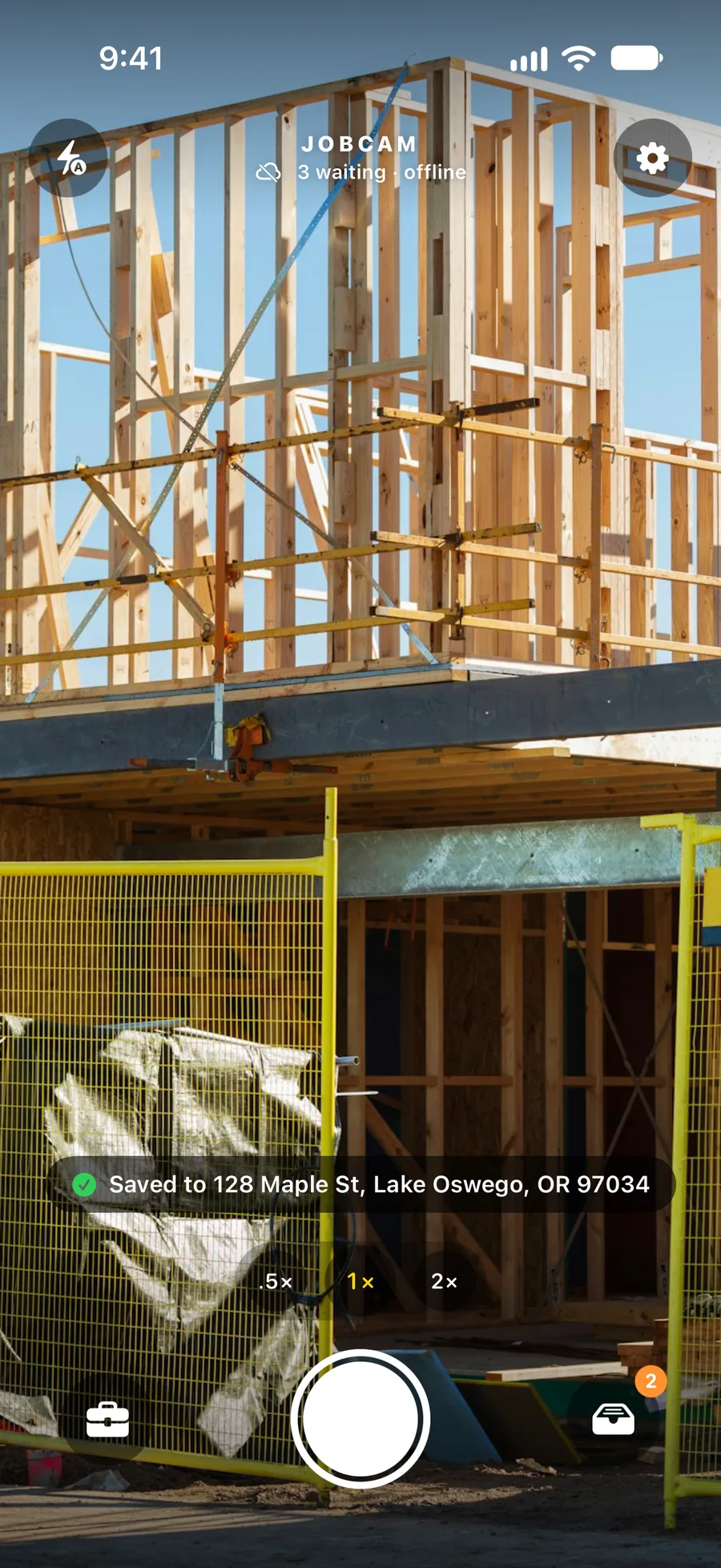
JobCam opens straight to the viewfinder, so there is nothing to find or set up on site. Take the shot and the photo goes under the job at that street address.
Matching uses the normalised address first, then GPS within a 100–150 ft radius (125 ft by default). The address is the job's identity, so a renamed job still collects its photos.
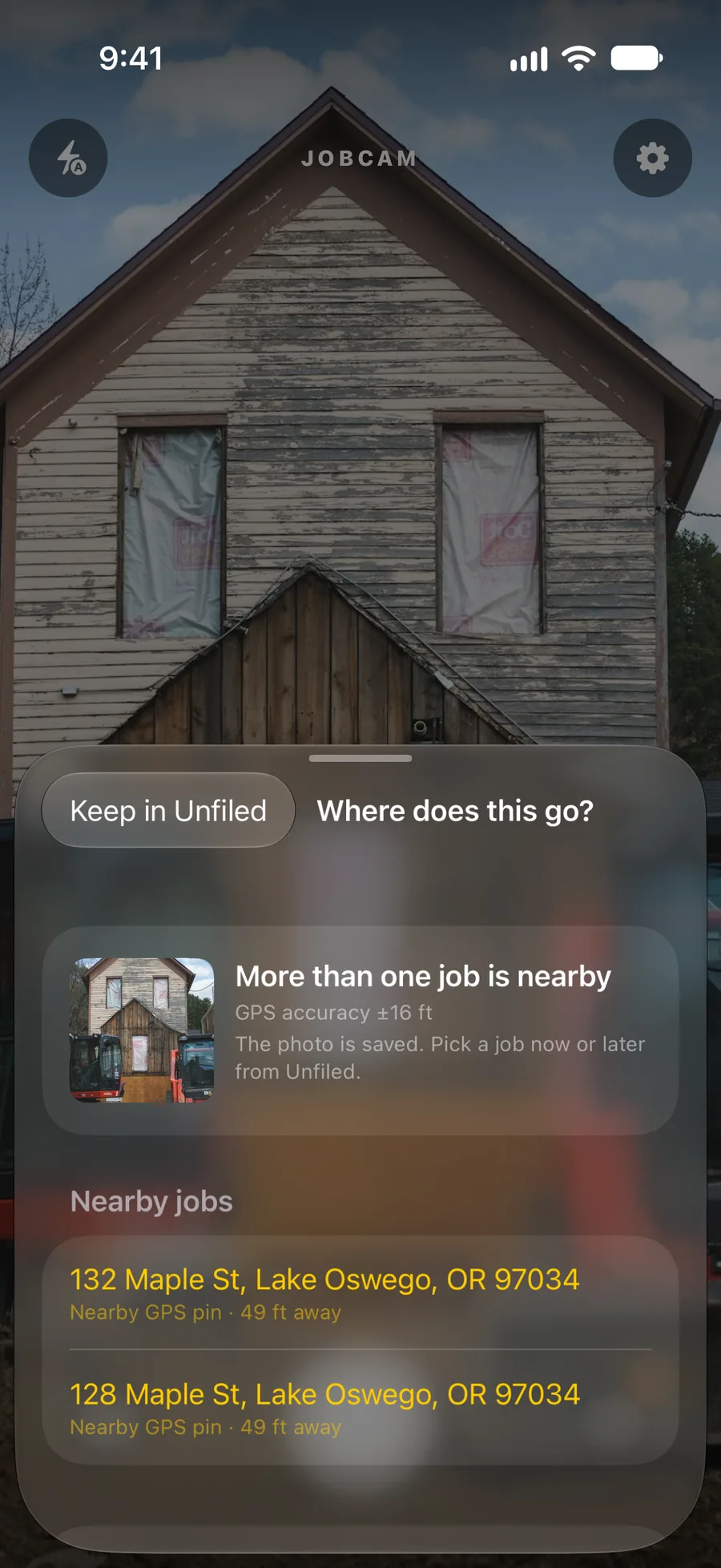
Unfiled inbox
When two jobs sit close together or the phone had no GPS fix, JobCam does not guess. The photo goes to the Unfiled inbox with a reason, and anyone on the team can file it to the right job in a tap, on the phone or on the web.
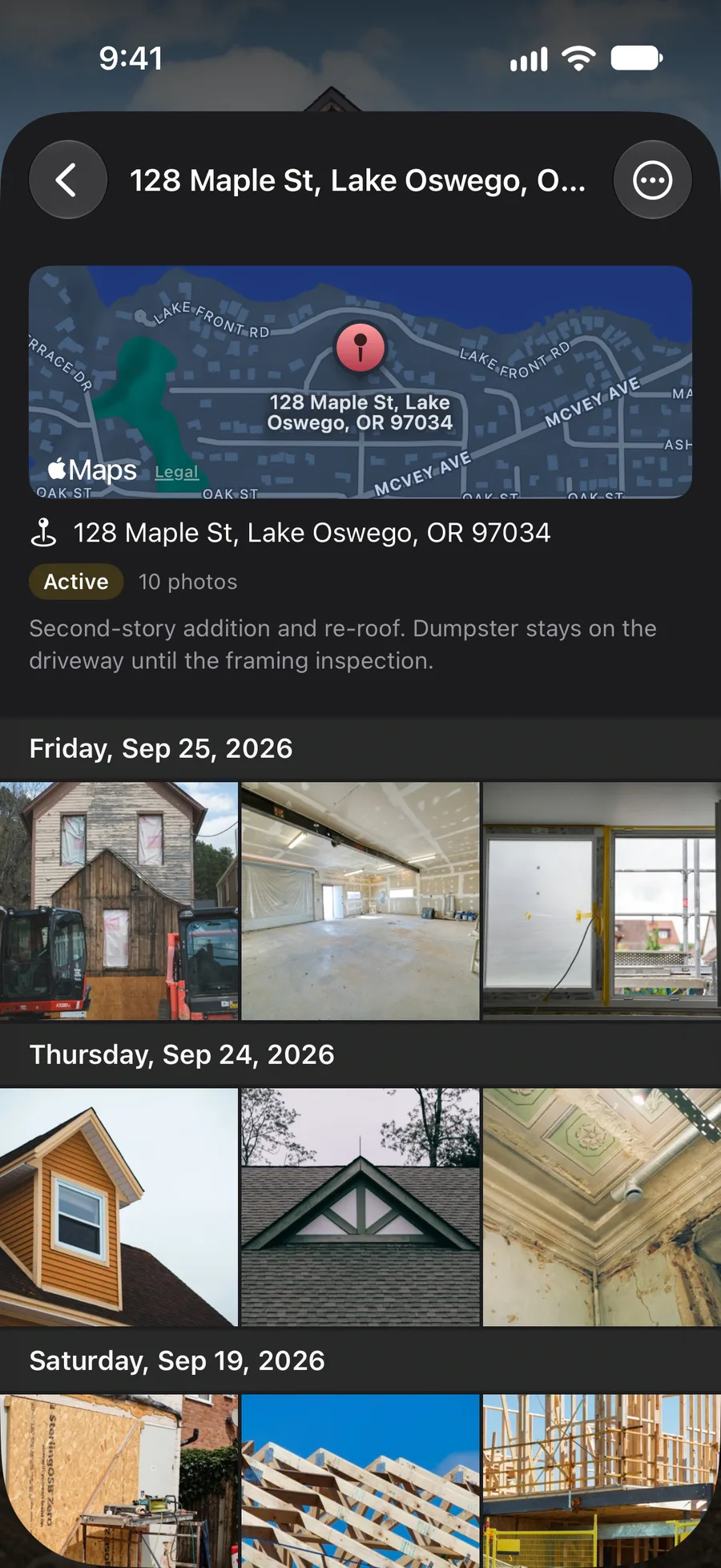
Jobs
Every job has a status (Active, On hold, Completed or Archived), notes and a map pin. Admins can rename a job for a friendlier label while the address stays the identity, merge duplicates, and delete jobs that should not exist.
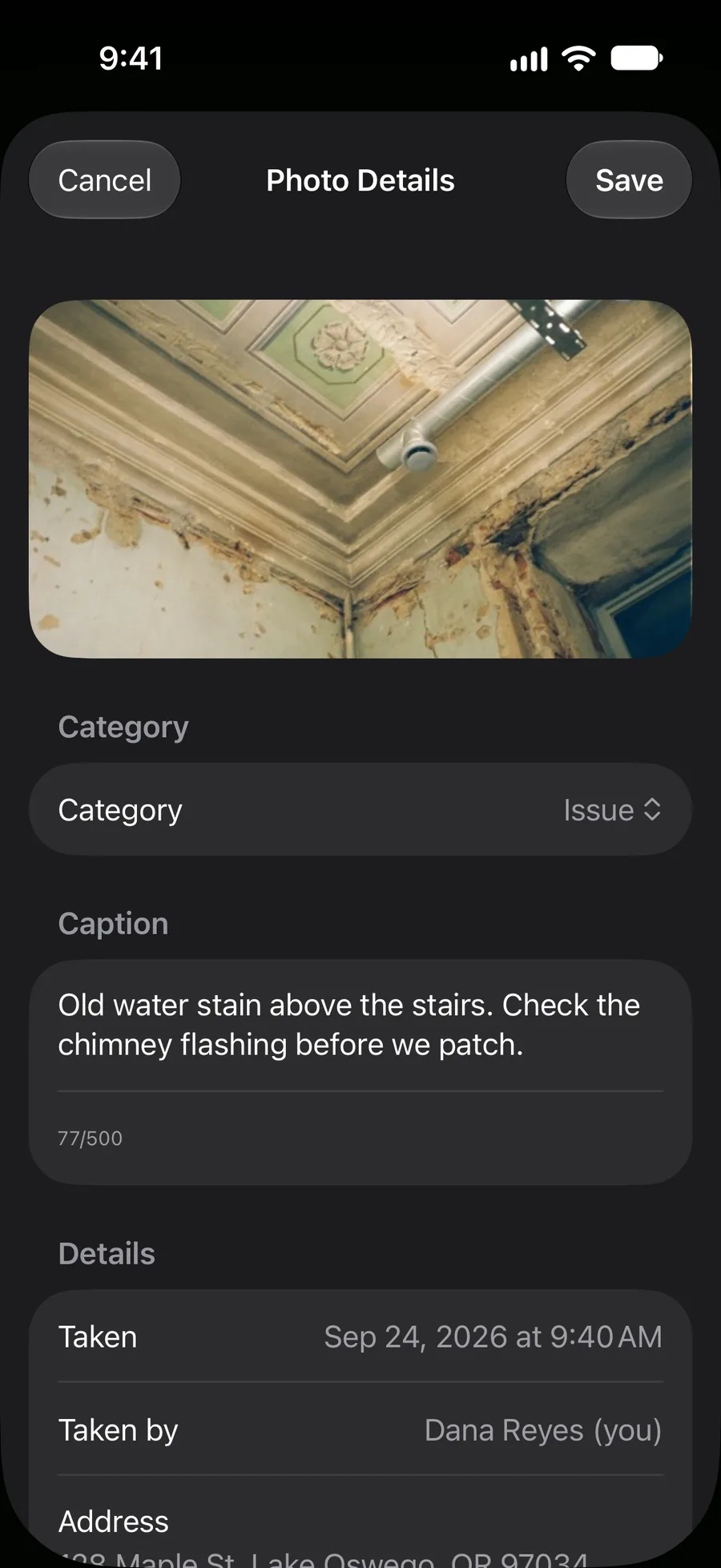
Photos and captions
Tag a photo as Progress, Before, After, Issue, Delivery or Other and add a caption. Multi-select photos to share them, move them to another job, or turn them into a PDF report.
PDF reports
Pick the photos, choose 2 or 6 per page, and JobCam lays out a US Letter PDF with a cover page carrying the job name, address and date range, photo captions and a “prepared by” line. Build it on the phone or in the dashboard.
Offline and sync
Basements, rural lots and dead zones happen. Photos are saved on the phone the moment you take them and upload in the background when a connection is back. The office sees them as soon as they land.
Team and roles
Two roles keep it simple: Admins manage jobs, the team and billing; Crew shoot and file. New people join with an 8-character invite code, no setup meeting required.
Web dashboard and uploads
app.jobcamapp.com mirrors every job, photo and the Unfiled inbox as they change. Upload JPEGs from the browser and they are filed by GPS the same way the app does it. Manage the team, invites and billing from the same place.
Marketing center
Connect your Facebook Pages and Instagram Business account. Compose one post for several channels, schedule it on the content calendar, use a before/after template, and take an optional caption suggestion when the words will not come. Slack, Jira and Asana are coming soon.
JobCam is in a limited beta. Request a demo and we will set up your company, invite your crew and send them the beta app for iPhone and Android.